
by Janani Sekar
Hi all,
Every monitoring environment generates valuable data, but capturing the right information for a useful report can require complex configurations. Whether you're analyzing resource performance, comparing metrics, or tracking specific groups of monitors, your reports should help you focus on what matters.
With the latest enhancements to Custom Report, you can create more focused reports with greater flexibility and less effort. From choosing how you build reports to refining the data they contain, these improvements help you turn monitoring data into meaningful insights.
How do these additional features benefit you?
The enhanced reporting capabilities help you move beyond broad data views and create reports that better reflect your monitoring requirements.
- Focus on what matters: Narrow down large volumes of monitoring data to the resources and metrics relevant to your analysis.
- Save time on report configuration: Reduce repetitive tasks when working with multiple performance metrics.
- Gain greater reporting flexibility: Create reports using an approach that suits your requirements, whether you prefer visual configuration or query-based reporting.
- Make performance analysis more meaningful: Evaluate monitoring data using consistent calculations and customized reporting criteria.
- Create reports tailored to your environment: Organize and analyze monitoring information based on resource characteristics and monitoring configurations.
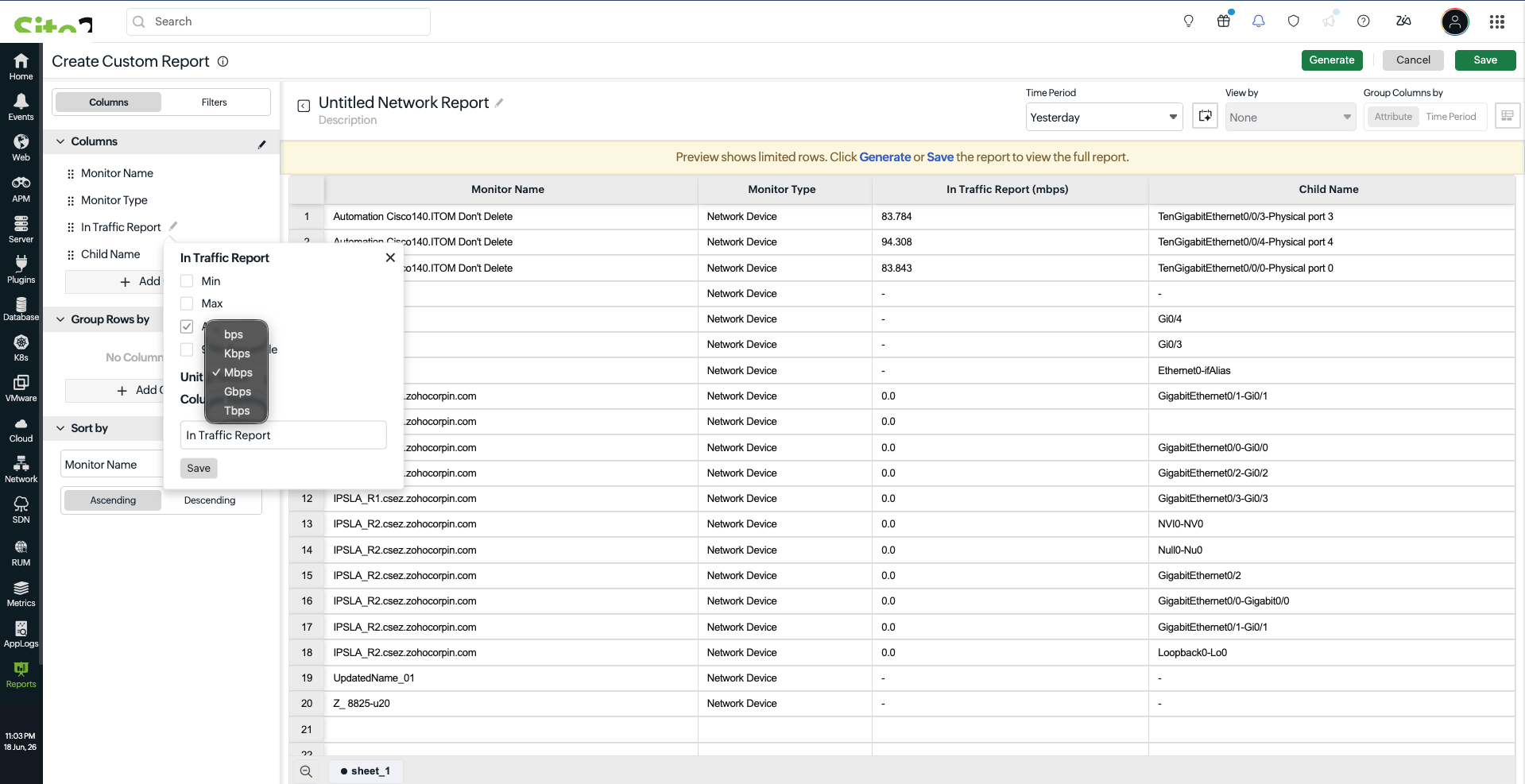
What more can you do with Custom Report?
The latest improvements give you more control over how monitoring data is selected, processed, and presented.
- Build reports your way: Use the visual Report Builder for straightforward configuration or ONQL for more control over the data and structure of your reports.
- Analyze multiple metrics with less effort: Apply aggregations across performance attributes in bulk to simplify metric comparisons.
- Receive more relevant results: Use Resource Inventory and Monitoring Inventory filters to focus on specific resources and monitoring configurations.
- Refine your analysis: Combine filtering conditions to create targeted reports that reflect your monitoring needs.
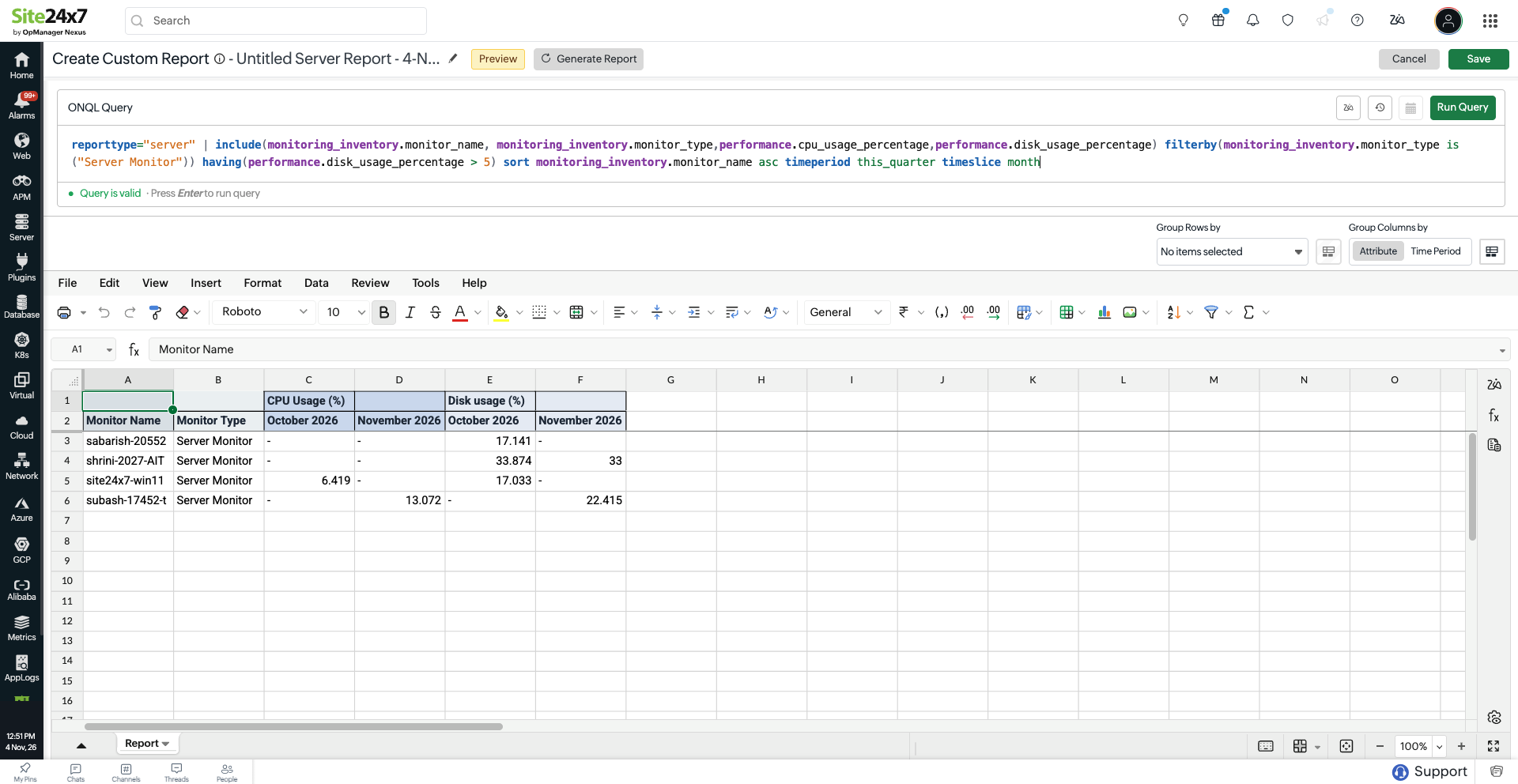
Getting started
Explore the enhanced Custom Report and discover how you can simplify report creation while gaining greater control over your monitoring data. For more details, reach out to our support team.
Happy monitoring !
Best regards,
The Site24x7 by OpManager Nexus Cloud team
Like (0)
Reply
Replies (0)