by Jyotsna R
Hi everyone,
Managing alerts and incidents across separate platforms can slow down incident response and make it difficult for IT teams to keep track of issues.
With the Site24x7-HaloITSM integration, you can automatically forward Site24x7 monitor alerts as tickets to HaloITSM, an AI-powered IT service management (ITSM) platform, and keep ticket updates aligned with monitor status changes. You can also access the associated incident details and ticket directly from Site24x7, helping your teams streamline incident management and respond to issues more efficiently.
Key benefits
- Customize ticket information: Customize ticket titles using incident parameters and notification templates to control the alert information sent to HaloITSM.
- Access incident details easily: View the associated HaloITSM incident details and access the ticket directly from Site24x7 through a closed-loop incident process (CLIP).
- Manage incident resolution: Automatically resolve incidents when a monitor returns to Up, or choose to close them manually.
- Choose your authentication method: Connect Site24x7 with HaloITSM using an API Key or OAuth.
How it works
- Log in to Site24x7.
- Navigate to Admin > Third-Party Integrations > HaloITSM.
- Enter your HaloITSM instance URL.
- Choose your preferred authentication method: API Key or OAuth.
- Configure the required alert and integration settings.
- Click Save to enable the integration.
Once configured, Site24x7 sends eligible monitor alerts to HaloITSM as tickets.
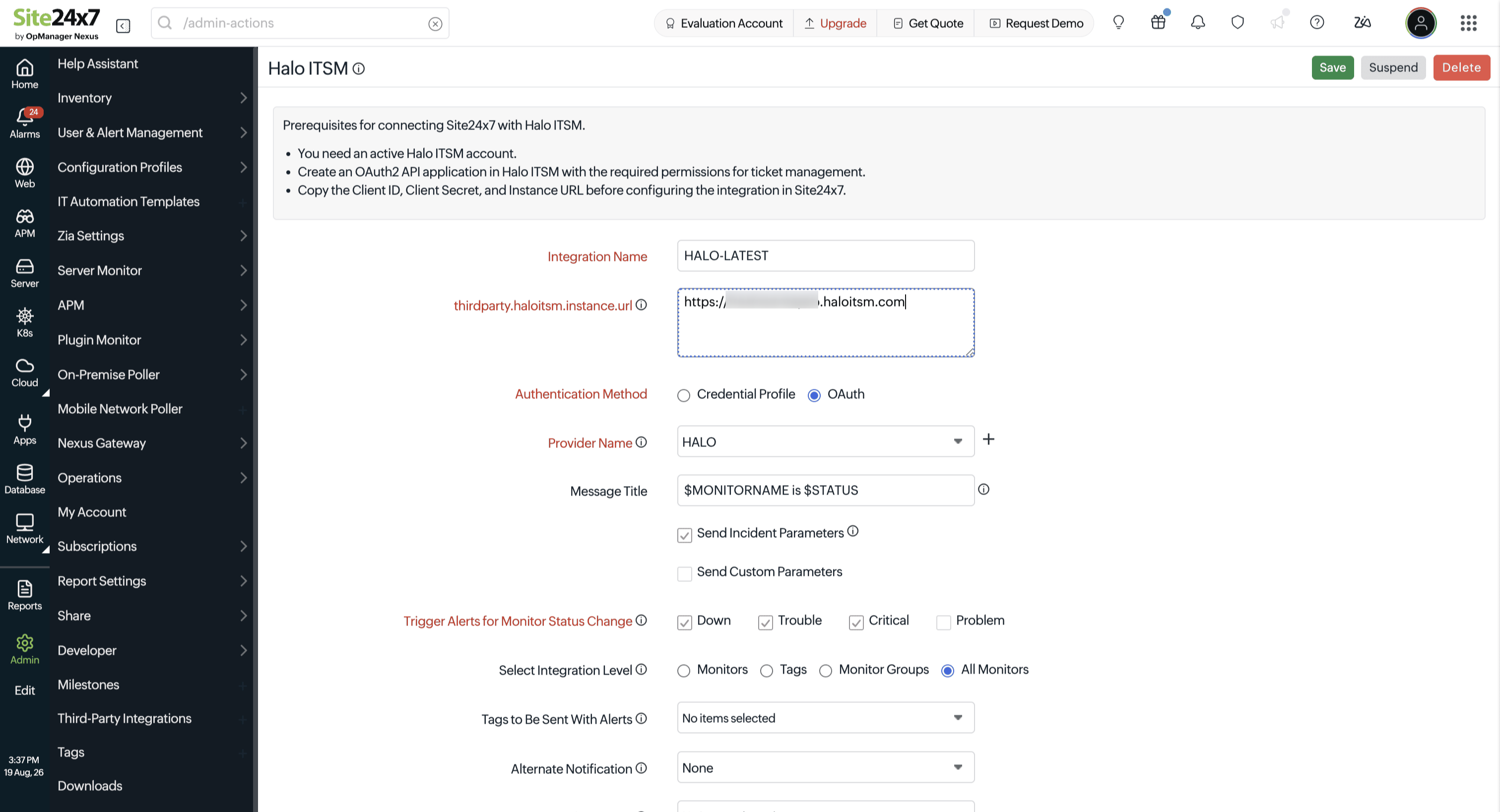
Fig. 1: Site24x7–HaloITSM integration page
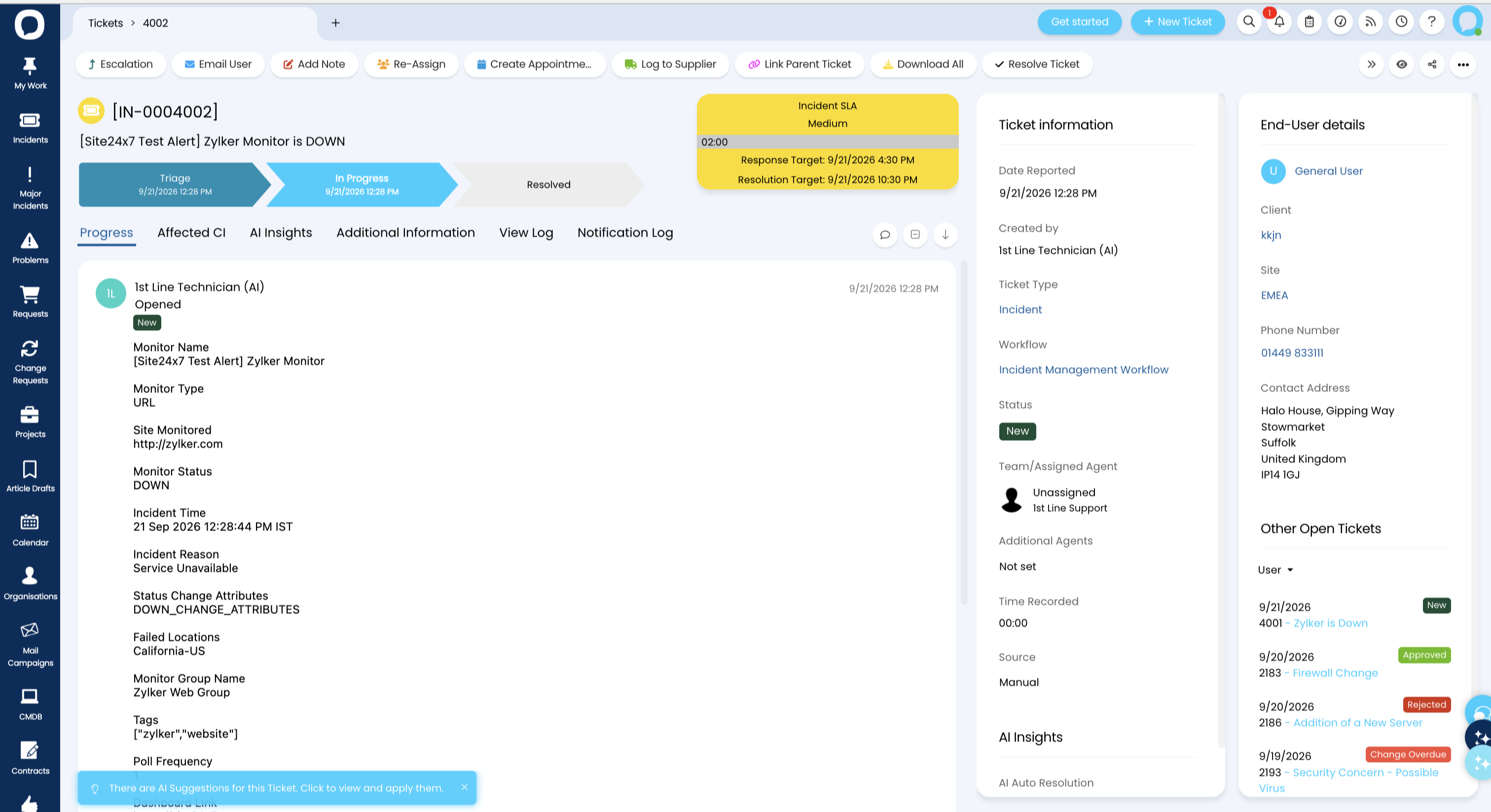
Fig. 2: HaloITSM ticket details page
Refer to our HaloITSM integration help documentation to learn how to configure and use the integration.
Try the HaloITSM integration and share your comments and suggestions below.
Best regards,
The Site24x7 team
Like (0)
Reply
Replies (0)