
by jdoty Doty
I have a list of servers and Tags I want associated with them in a CSV file. How can I do a bulk update of my servers in 24x7?
Like (1)
Reply
Replies (1)
by Jenzo Thomas
Hi There,
Site24x7 supports bulk updating tags for your servers.
Go to Admin → Inventory → Bulk Update.
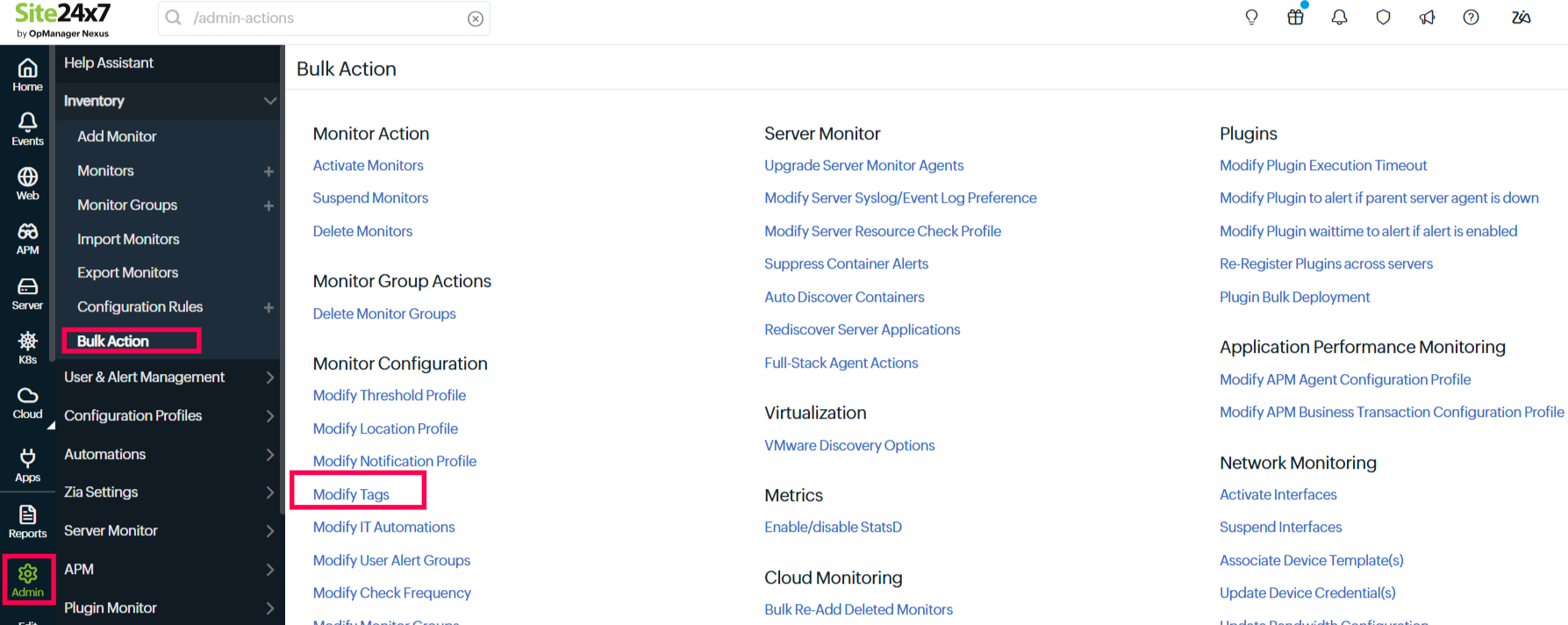
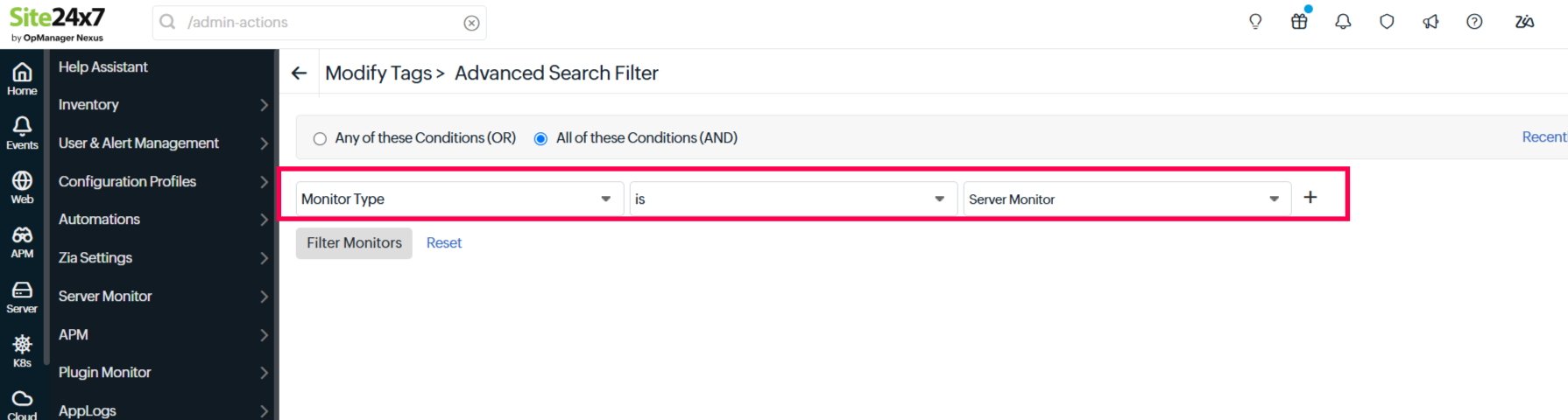
Under Monitor Configurations, select Modify Tags, set the monitor type as Server Monitor and filter. Select the required tags, choose the monitors you want to associate them with, and save.
Please find more on Bulk Action here
Hope this helps! Feel free to reach out if you need any further assistance.
Regards,
Jenzo
Site24x7
Jenzo
Site24x7
Like (0)
Reply